How to Get More Google Reviews: A Simple System for Contractors
Lots of happy customers mean to leave a review and never get around to it. Ask every customer the same day with a direct link, and stay clear of the habits that get reviews removed.
You fixed the furnace, the customer thanked you twice at the door, and a week later there's still no review. That's normal. A lot of happy customers mean to leave one and then forget, and some never think of it at all.
The contractors with a long list of reviews usually aren't doing anything clever. They ask every customer soon after the job and send a link that takes seconds to use. Setting that up takes an afternoon. Staying inside Google's rules matters just as much, because some common habits get reviews deleted.
Why Reviews Are Worth the Effort
Homeowners check your reviews before they call. But reviews also affect whether they see you in the first place.
More reviews and good ratings can help you show up higher in local results on Google Search and Maps. If you run Local Services Ads, your star rating and review count also affect where those ads rank. Those reviews are managed in your Google Business Profile, so the same reviews work for you in both places.
Get Your Review Link First
Your Google Business Profile has a direct link that opens the review box for your business. Customers need to be signed in to a Google account to leave a review.
To find your link:
On a computer, open your Google Business Profile.
Click Read reviews, then Get more reviews.
Copy the link, or right-click the QR code to save it. You can only get the QR code on a computer, not a phone.
Save that link somewhere your whole team can grab it, and put it or the QR code on your invoices and any card you leave behind after a job.
Ask Soon After the Job
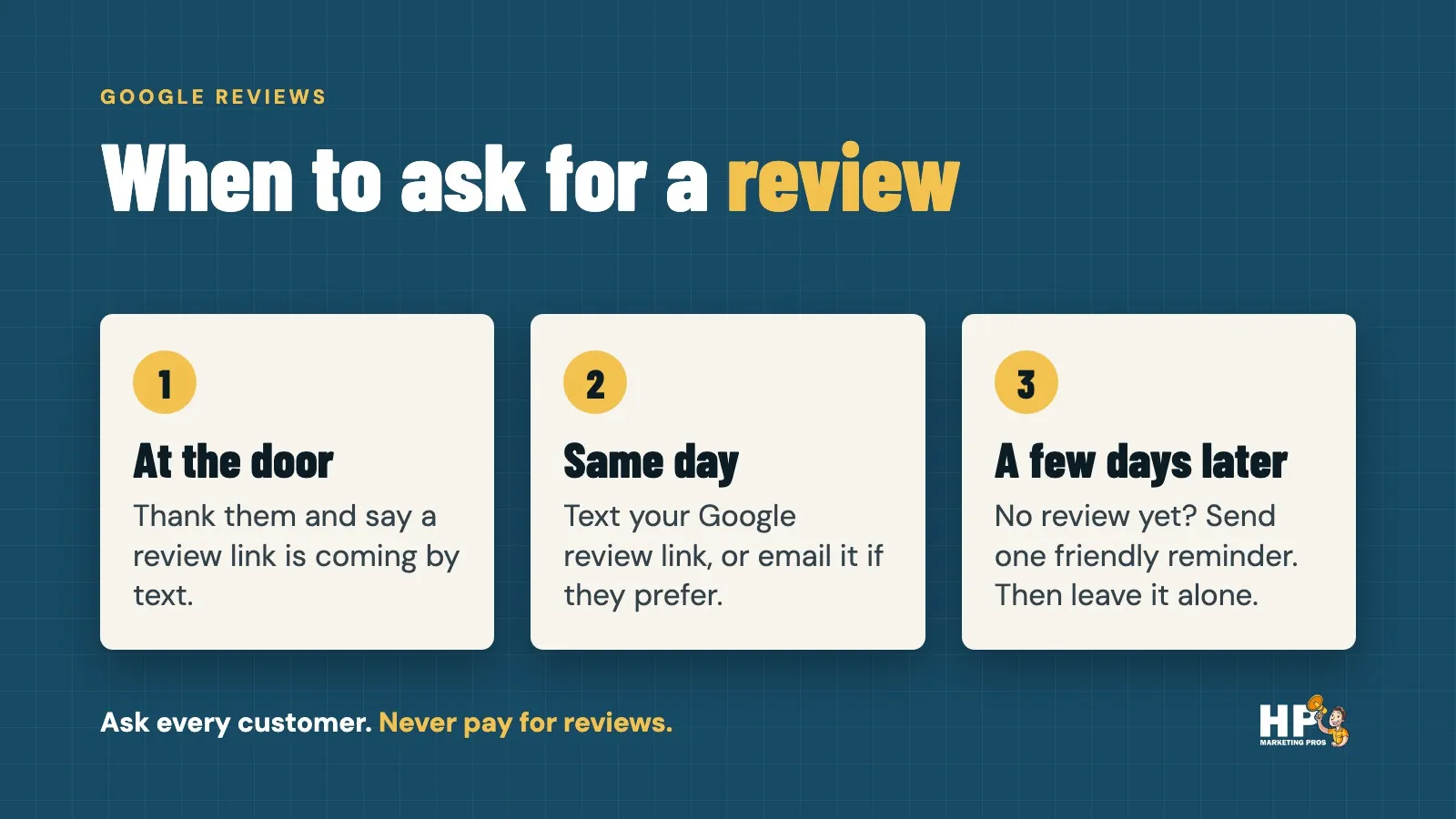
The best time to ask is right when the job is done. The house is warm again or the leak is fixed, and the visit is fresh in their mind. Wait a week and the moment has usually passed.
A simple routine works well:
At the door: the tech thanks them and says a text is coming with a link to leave a review.
Same day: the office texts the link, or emails it if that's how the customer prefers to hear from you.
A few days later: if there's no review yet, send one friendly reminder. Then leave it alone.
Don't hand them your phone or stand there while they type. It puts people on the spot, and the review should be theirs, not something written with your tech watching.
What to Say
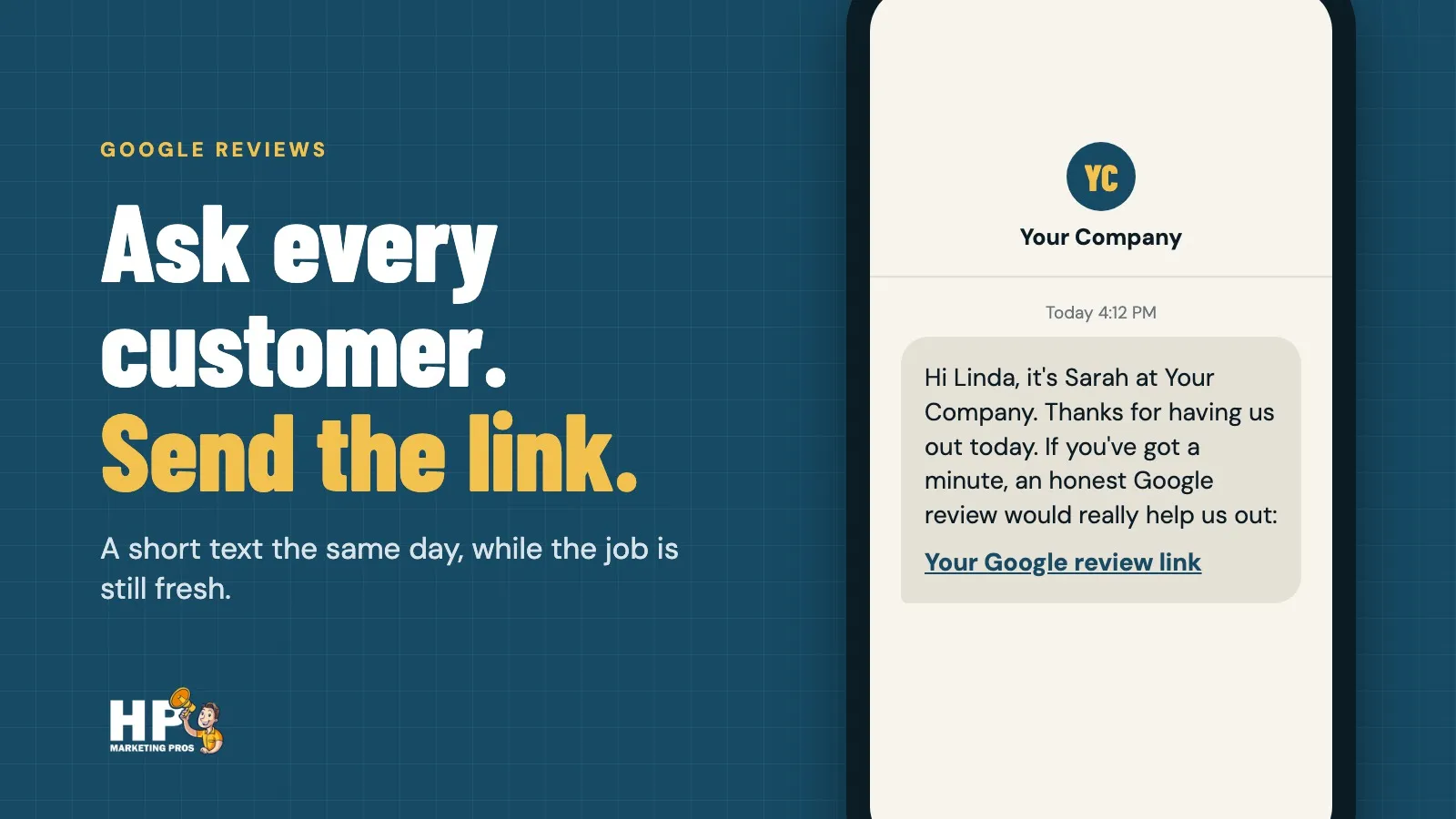
Keep it short and personal. Something like this works:
"Hi Linda, it's Sarah at [Company Name]. Thanks for having us out today. If you've got a minute, an honest Google review would really help us out: [your link]"
Send it from your business number, not a tech's personal cell.
Don't tell them what to write or which star rating to pick. Google doesn't allow businesses to ask for specific content in a review.
Ask Every Customer, Not Just the Happy Ones
It's tempting to only ask the customers you know loved the job. Google doesn't allow that. Businesses can't pick out happy customers to ask for reviews or discourage the unhappy ones from leaving them.
That's less scary than it sounds. If you do good work, most of those reviews will be good ones, and a mix of positive and negative reviews often feels more trustworthy to people reading them.
Watch your software here. Some review tools ask customers to rate you first, then only send the happy ones to Google. That's the same selective asking, just automated. If yours works that way, turn that feature off.
What Gets Reviews Removed
A few common habits break Google's rules. Google can remove the reviews that come from them. If it finds a business faking or paying for reviews, it can also block new reviews or hide the existing ones for a set time, or put a warning on the profile that fake reviews were removed.
Paying for reviews. No discounts, gift cards, free service or anything else in exchange for a review. The same goes for offering something to get a bad review changed or taken down.
Review quotas for your techs. Google's rules bar asking staff to bring in a set number of reviews.
Asking customers to mention a tech by name. Shops often do this to track their techs. Google's rules specifically call out asking for reviews that name a staff member. If a customer mentions your tech on their own, that's fine.
Reviews from employees, family or close friends. Google counts these as a conflict of interest and removes them.
Fake reviews. That includes writing your own or buying them from a review seller. It also violates the Federal Trade Commission's rule on fake reviews, and courts can fine businesses that knowingly break it.
Reply to Your Reviews
Replying shows customers you pay attention and can help your business stand out. You'll need a verified Business Profile to reply. Your replies are public and show up under the review in your business's name, and the customer gets a notice when you reply.
For good reviews, a short thank you is plenty. Mention something specific when you can, like the job you did, instead of pasting the same line every time. Don't use replies to push deals.
For bad reviews, stay calm. Apologize where it's fair, say what you'll do about it, and offer to talk it through by phone. Never share the customer's private details. Fixing the problem is fine, but don't offer anything in return for changing the review. A good reply sometimes leads the customer to update it on their own, and it shows everyone else reading how you handle a problem.
Make It Part of Closing the Job
Review requests fall apart when they depend on someone remembering. Tie the ask to the step where a job gets marked complete, so the text goes out every time. If your scheduling software can send it automatically when a job closes, turn that on. Then pick one person to check new reviews a couple of times a week and reply to them.
Frequently Asked Questions
Can I offer a discount for a Google review?
No. That includes a discount on the next visit or a prize drawing for customers who leave one. Google removes reviews that come from any kind of incentive.
Can I ask only my happy customers for reviews?
No. Send the same request to every customer, whether the job went perfectly or not.
Can I get a bad review taken down?
Google will only take it down if it breaks Google's content policies, for example if it's spam, off-topic, posted by a competitor, or from someone who never actually dealt with your business. You can report it from your Business Profile under Read reviews. Otherwise, your best move is a calm, helpful reply.
Do Google reviews help my ranking?
They can. Google ranks local results mainly on how well your profile matches the search, how far you are from the person searching, and how well known your business is. Reviews count toward that last one. In Local Services Ads, your star rating and review count affect where you show.
Get a Review Routine Your Office Will Actually Use
We help contractors build a review routine that runs on every job, from the request to the replies. See how we handle reviews or get a free growth plan.

HP Marketing Pros
Practical marketing guidance from a team with decades of experience in and around trades businesses.
Need a hand with this?
Want us to handle this stuff for you?
Stop worrying about marketing and focus on what you do best: running your business.
Let's Talk